
Several people have asked how I made my mosaic layout so here are the directions.
The first thing I did was to cut the base out of a heavy cardstock. I do not use this on my final layout so the color doesn't matter. (you can find this on tab #1 of my cut file)
Next, I taped my grid onto my background paper.

The next thing to do was to cut my photos. I was way to lazy to do this by hand so I made a cut file for this too. My photos were not true 4x6 so this did affect the final outcome. (tab #2 of my cut file)
The first thing I did was to cut the base out of a heavy cardstock. I do not use this on my final layout so the color doesn't matter. (you can find this on tab #1 of my cut file)
Next, I taped my grid onto my background paper.
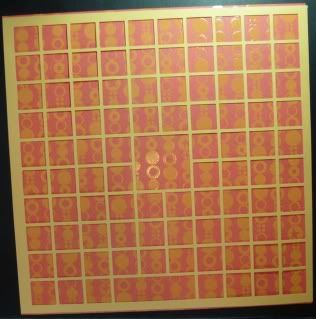
The next thing to do was to cut my photos. I was way to lazy to do this by hand so I made a cut file for this too. My photos were not true 4x6 so this did affect the final outcome. (tab #2 of my cut file)
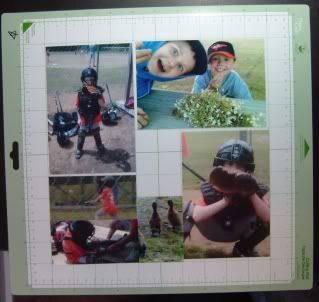
This is what my photos looked liked after I cut them out. Do not remove from cutting mat yet!
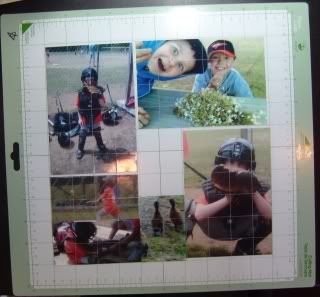
I removed one photo at a time. I placed the pieces upside down on my work space in the same order that I took them off. I ran adhesive on the back off all the pieces. I then applied them to my background paper inside the grid squares.
I proceeded to do this with all of the photos.
I cut embellishment boxes to fill in my empty spaces. (tab #3 on my cut file)
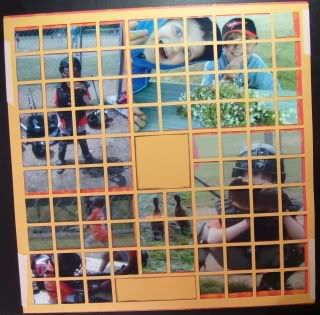
Carefully remove the grid from your background paper. Apply any and all embellishments.
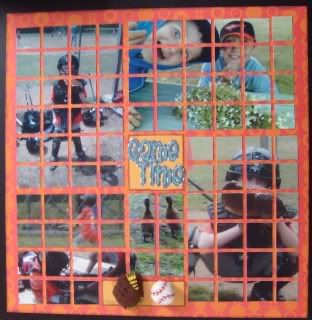
That's it. They are not really hard to make just time consuming. I wouldn't recommend making one when you are tired.
If you make one, please email me a picture or leave me a link in your comment. I would love to see your work!
Mosaic - ds cut file